WorkX Chair
Creating a comfortable and functional workspace at home does not have to break the bank. When considering how to set up an ergonomic home office on a budget, many may feel overwhelmed. However, with a few practical tips, anyone can achieve a balance between affordability and comfort.
This guide presents ten effective ways to create an ergonomic home office without significant financial investment. Each method emphasizes simple adjustments that can make a world of difference. From using household items to repurposing furniture, the solutions are both accessible and achievable. Importantly, these strategies reflect a deep understanding of human biomechanics, ensuring they support health and productivity.
While it’s easy to focus solely on aesthetics, comfort is crucial for long hours of work. Many might overlook their posture, leading to discomfort. Thus, awareness is key in redesigning your space. By following these tips, you can cultivate an environment that promotes well-being and efficiency, proving that a limited budget doesn’t mean compromising on quality.
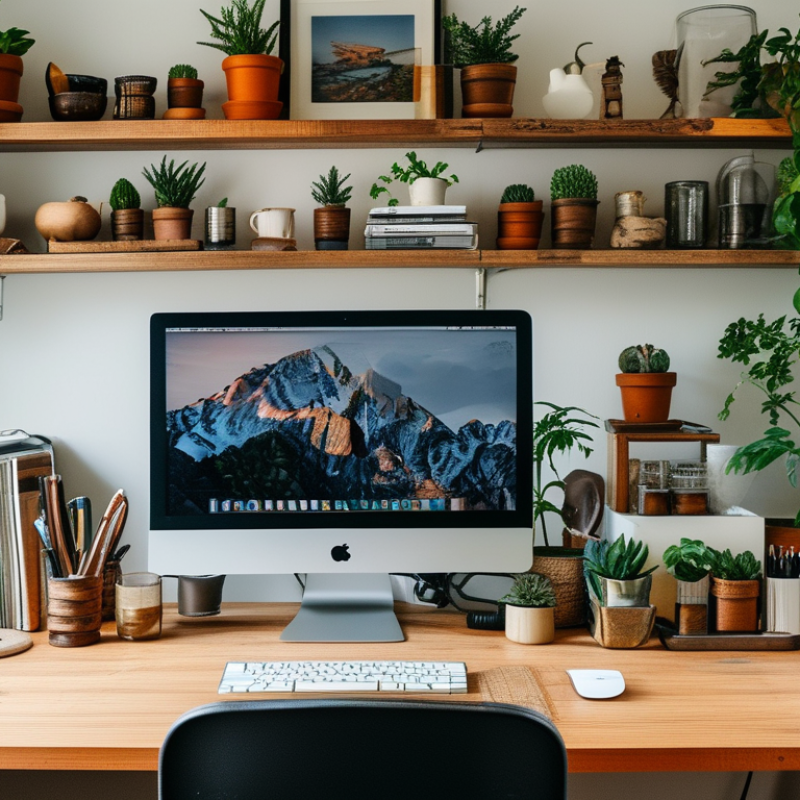
Creating an ergonomic home office goes beyond fancy desks and chairs. It involves understanding how to position your workspace for comfort and productivity. Ergonomics is about designing your environment to fit your needs. This ensures you can work efficiently while reducing strain and discomfort.
An effective ergonomic setup starts with your chair. It should support your lower back and promote a neutral spine position. Choose a desk that allows your elbows to stay at a 90-degree angle. Position your monitor at eye level. This adjustment helps prevent neck strain during long hours of work. Incorporating these elements might seem simple, but many overlook them.
Another important aspect is lighting. Poor lighting can cause eye strain, impacting your focus. Natural light is best, as it boosts mood and energy. However, desk lamps can also help. Ensure they don’t cast harsh shadows. Evaluate your setup periodically. Are you feeling discomfort? This may indicate it's time to reassess your arrangement. Ergonomics requires ongoing reflection and adjustment to maintain a comfortable workspace.
When creating your ergonomic home office, assessing your space is essential. Begin by choosing a location that has ample natural light. A well-lit space can boost your mood and productivity. Consider a corner of your living room or a small room that can provide privacy.
Think about noise levels in your chosen area. A quiet environment is conducive to focus. If you live in a busy household, noise-canceling headphones might be a practical addition. Ensure your workspace allows you to maintain a healthy posture. This might mean rearranging your furniture or using additional cushions for support.
Reflect on the functionality of your workspace. Is it cluttered? An organized desk promotes clarity and efficiency. You may need to experiment with layouts until you find what feels right. Don’t hesitate to switch things up as this can influence your comfort and productivity over time. Remember, creating an ergonomic space is a personal journey. It's okay to make adjustments as you discover what works best for you.
Creating an ergonomic home office on a budget is possible with careful selection of furniture. A basic desk should suit your needs, offering ample space for activities. Look for height-adjustable desks or even DIY options that lift your computer to eye level. A suitable chair is essential; prioritize adjustable features. Consider chairs that provide lumbar support, reducing strain during long hours.
Use cushions or rolled towels to enhance comfort. They can offer extra lower back support at minimal cost. A footrest can also make a difference, helping to improve posture. Explore items like stackable boxes for organizing and elevating your monitor. Simply rearranging your workspace can boost your body’s alignment.
Lighting is often overlooked in ergonomic setups. Natural light is best for mood and productivity. If that’s limited, invest in a good desk lamp. It can ease eye strain during late-night tasks. Keep clutter to a minimum; a clean workspace promotes focus. Assess your setup regularly to ensure comfort. Small changes make a significant impact on health over time.
Creating an ergonomic home office is essential for your health. Incorporating technology can enhance your workspace significantly. Research shows that over 50% of workers experience discomfort due to poor setup. A well-organized office reduces these risks.
Ergonomic keyboards and mice are vital. They help minimize strain on hands and wrists. Studies indicate that using these tools can decrease repetitive strain injuries by 30%. Choose products with adjustable settings. They allow customization to fit your needs.
Tip: Invest in a sit-stand desk. It helps you maintain good posture and increases productivity by about 15%. Use software for reminders to take breaks. Regular breaks can refresh your mind and reduce fatigue.
Lighting is another essential factor. Proper lighting can reduce eye strain by 40%. Use smart lighting solutions that adjust automatically based on your activities. These tools enhance focus while keeping discomfort at bay.
Tip: Create a clutter-free environment. A tidy space can improve concentration. Regularly reevaluate your setup for optimal comfort. Small adjustments can lead to significant improvements in your workspace efficiency.
Creating a comfortable and efficient home office is essential for productivity. Ergonomics plays a vital role in this. A report from the Occupational Safety and Health Administration (OSHA) indicates that proper ergonomic setups can reduce discomfort by up to 60%. Investing in essential accessories enhances comfort and efficiency.
Consider using an adjustable chair. It should support your lower back and allow your feet to rest flat on the floor. Studies show that a good chair can significantly reduce fatigue. A sit-stand desk can also be beneficial. Alternating between sitting and standing can boost focus and energy levels.
To further improve your setup, a keyboard and mouse designed for ergonomic use are key. They help prevent repetitive strain injuries. Proper monitor placement is crucial as well. The top of your screen should be at or just below eye level. This positioning reduces neck strain.
Tips for improvement: take regular breaks. Stretch every hour to relieve tension. Ensure your workspace is decluttered. A tidy area can enhance concentration. Check your lighting. Poor lighting can strain your eyes and affect your mood. These small adjustments can lead to a more productive work environment.
: Choose a location with plenty of natural light. A bright area improves mood and productivity.
Opt for a quiet area. If needed, use noise-canceling headphones to help focus.
Rearrange furniture as needed. Use cushions for support to maintain good posture.
A clutter-free desk promotes clarity and efficiency. Experiment with layouts until it feels right.
An adjustable chair and a sit-stand desk can enhance comfort and efficiency during work.
The top of your screen should be at or just below eye level to reduce neck strain.
Take regular breaks and stretch every hour to help relieve tension and improve comfort.
Proper lighting prevents eye strain and enhances mood. It’s essential for a productive environment.
Yes, adjusting your space is part of finding what works best for you. Don’t hesitate to change it up.
Keep your workspace decluttered and check your lighting. These changes can significantly boost productivity.
Creating an ergonomic home office doesn't have to break the bank. Understanding ergonomics in home office design is crucial for both comfort and productivity. Start by assessing your space and choosing an appropriate location that minimizes distractions. When it comes to selecting furniture, focus on budget-friendly solutions that prioritize ergonomic principles, such as adjustable desks and supportive chairs.
Incorporating technology can enhance your ergonomic setup, making work easier and more efficient. Additionally, adding essential accessories like wrist supports and monitor risers can significantly improve comfort during long work hours. By following these guidelines, you will learn how to set up an ergonomic home office on a budget, ensuring both health and productivity as you work from home.
