WorkX Chair
Choosing an armless office chair may seem like a simple way to sit closer to your desk. But the right chair depends on your body, workstation, and daily tasks. Are armless office chairs better for posture? Sometimes. Without armrests, you can move nearer to the keyboard and avoid bumping your elbows against the desk. That can help keep your shoulders relaxed. Yet removing armrests does not automatically correct slouching or back discomfort. The details matter.
Cornell ergonomics researcher Dr. Alan Hedge is often associated with the useful reminder, “Your best posture is your next posture.” It points to a practical idea: changing positions matters, too. When comparing chairs, check whether your feet rest flat, your knees have room, and the seat supports your thighs without pressing behind them. Notice whether the backrest meets your lower back. A chair should let you sit close enough to reach your screen without leaning forward. Small details, big difference.
This guide will explore seat height, back support, desk fit, and comfort during ordinary work. It will also consider who may benefit from an armless design and when arm support could be useful. An armless chair can feel freeing, especially in a compact workspace. Still, I should not treat “more movement” as a complete posture plan. Stand, shift, and adjust your setup when needed. No chair can do all that for you.
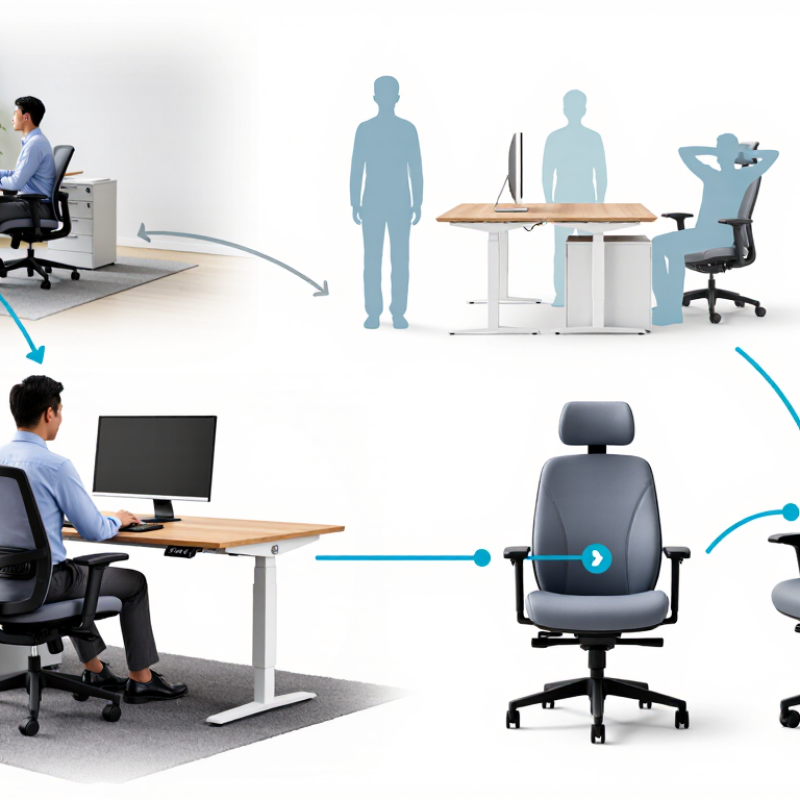
Treat OSHA’s workstation guidance as a fit test, not a rigid pose. Set the chair so both feet rest flat on the floor or a stable footrest. Keep your thighs supported and shoulders relaxed. Let your elbows stay near your sides, with forearms roughly level with the desk. Start with the feet. An armless chair can make this easier because armrests cannot push your elbows outward. Still, the chair and desk heights need to work together.
OSHA’s Computer Workstations eTool recommends feet supported and elbows close to the body. OSHA’s summary of Bureau of Labor Statistics data reports that musculoskeletal disorders made up 33% of workplace injury and illness cases in 2011. That figure covers many kinds of work, not office chairs alone. It does, however, underline why comfortable, neutral positioning matters.
Test the setup by typing for a few minutes. Your feet should stay planted, and your shoulders should not creep toward your ears. If your feet dangle, lower the chair or add a footrest; if the desk then feels too high, adjust the keyboard position. Small changes count. A near-right-angle elbow position is a useful target, not a rule your body must obey every second. I still find that people shift while concentrating, so recheck the fit after a task—not just when the chair is empty.
How to Choose an Armless Office Chair for Better Posture
Measure Seat Height and Allow a 2–3-Finger Gap Behind the Knees
Set the chair height while wearing the shoes you usually work in. Your feet should rest flat on the floor, with your knees near hip level. Sit back against the chair, then check the space between the seat edge and the backs of your knees. A gap about two or three fingers wide is a useful starting point. Too little space can press into the legs; too much may leave your thighs unsupported. Small adjustments matter.
Tips: Slide your fingers behind each knee while seated. If the edge touches your legs, lower the seat slightly or adjust the seat depth, if possible. If your feet lift, use a stable footrest rather than letting them dangle. Keep the chair close enough to your desk so your shoulders can relax.
This measurement is a guide, not a rule for every body. Leg length and seat shape vary, and a chair that feels fine for five minutes may feel different later. Try sitting for a short work session, then notice pressure, numbness, or slouching. An armless chair leaves your elbows free, but it does not automatically improve posture. Check that your arms can rest comfortably at desk height.
Use this seat-height range as a starting reference, not a one-size-fits-all rule. Adjust the chair so your feet rest flat on the floor and your knees are near a right angle. Leave a 2–3-finger gap between the seat edge and the back of your knees.
Reference range: approximately 40.6–53.3 cm (16–21 in). Individual fit depends on body proportions and footwear.
An armless office chair can make a compact desk feel less crowded, but it still needs to support your back. Check whether the backrest follows your lower spine rather than pushing into one sharp spot. Sit with your hips against the seat and notice if the curve meets your lumbar area. Small details matter. A gap behind your waist may leave you slouching; a hard ridge can feel distracting after an hour. Try the chair for several minutes, not just a quick showroom sit.
Look for a recline range around 90–110 degrees, measured between the seat and backrest. Near 90 degrees can feel upright for typing, while a modest recline may ease the sense of holding yourself rigid. Adjust the tilt so the backrest moves with you, if possible, and check that your feet stay flat while your shoulders remain relaxed. Not perfectly. Bodies differ, and the angle alone cannot guarantee good posture. If the chair encourages you to slide forward or arch away from the backrest, its support may not suit your proportions. Recheck the fit at your actual desk; even a supportive chair can feel wrong when the seat height or desk position is off.
An armless office chair can make it easier to move close to a desk, but a narrow seat may restrict your hips. Measure the usable seat width, not just the outside edges. Then compare it with your seated posture, clothing, and any space you need to shift comfortably. A tape measure and a few minutes at your desk can reveal more than a product photo. Fit is personal.
Check stability on the floor where you will use the chair. Sit down slowly, lean slightly in different directions, and notice whether the base rocks or the seat feels unsteady. Keep all casters on a firm, level surface during the check. ANSI/BIFMA X5.1 is a standard for general-purpose office seating that includes performance tests, such as stability and durability. Look for clear documentation that the specific chair model was tested to the standard; vague claims are hard to verify. Compliance is useful evidence, not a promise that the chair fits your body or desk. I used to assume a wider seat was always safer, but that can leave less room to tuck the chair beneath a desk. Consider width, stability, and your working position together. The right choice should feel steady, with your feet supported and shoulders relaxed.
| What to Check | How to Measure or Verify | Good Fit or Evidence | Why It Matters for Posture and Use |
|---|---|---|---|
| Clear armless width | Measure the usable width between the seat’s side edges at the narrowest point. Compare it with your seated hip width while wearing typical work clothes. | Your hips fit without pressure, and there is enough room to sit down and stand up comfortably. Check the usable seat width, not just the chair’s overall width. | A seat that is too narrow can restrict movement; excessive width may make it harder to use the backrest effectively. |
| Seat depth | Sit with your back against the backrest and measure the gap between the front edge of the seat and the backs of your knees. | The seat supports your thighs without pressing into the backs of your knees. If possible, choose a seat with adjustable depth. | Appropriate depth helps you sit back against the backrest while keeping pressure off the legs. |
| Seat height and foot support | Check the chair’s published seat-height adjustment range, then test it at your desk with your feet on the floor or a footrest. | You can sit with feet supported and knees near hip level without the seat edge pressing into your lower legs. | Supported feet and a comfortable leg position make it easier to maintain a stable sitting posture. |
| Backrest and lumbar support | Check whether the backrest supports your lower back when you sit fully back. Note any backrest-height, lumbar-position, or recline adjustments. | The backrest feels supportive without forcing your trunk into an uncomfortable position; adjustments can be set to suit your body. | A supportive backrest helps you avoid relying on the seat edge or leaning forward for extended periods. |
| Stability and base | Review the manufacturer’s stability information and test the chair on a level surface in normal use. Check for unexpected rocking, loose parts, or tipping during ordinary movement. | The chair remains steady during sitting, leaning within its intended range, and standing up. Follow the stated user-weight limit and assembly instructions. | A stable chair supports confident movement. Do not perform improvised load or tip tests. |
| ANSI/BIFMA X5.1 compliance | Look for documentation identifying ANSI/BIFMA X5.1, the applicable edition, and the chair model or product covered by the test report or certification. | The documentation clearly applies to the exact chair being considered. A general statement such as “tested to BIFMA” should be clarified with the seller or manufacturer. | ANSI/BIFMA X5.1 is a performance standard for general-purpose office chairs. Verify the applicable documentation; appearance or dimensions alone do not establish compliance. |
| Desk and workspace clearance | Measure the desk opening, chair footprint, and available space for the chair to move in and out. Check clearance beneath the desktop. | The chair fits beneath or near the desk without trapping your legs, and you can approach the work surface without twisting. | Armless designs can improve access to a desk, but adequate legroom and movement space are still essential. |
Before choosing an armless office chair, test its adjustments at the desk where you plan to use it. A chair can feel comfortable in a showroom and awkward beside a different desk. Sit for several minutes, then check whether your feet rest flat and your knees bend comfortably. Small details matter.
Adjust the seat height until your shoulders relax and your elbows sit near desk level while typing. If your feet dangle, try a footrest; if your knees press against the desk, check the seat depth and clearance. Notice whether the backrest supports your lower back without forcing you forward. Stand, sit, and reach for your usual mouse and notebook. Does the chair stay stable? Can you move freely without armrests? A quick test may miss discomfort that appears later, so take time if possible. I’d reconsider a chair that feels almost right; “almost” can become tiring during a long workday.
Adjust it while wearing your usual work shoes. Keep your feet flat and knees near hip level. Small changes help.
Leave roughly two or three fingers between the seat edge and each knee. That is a guide, not a perfect rule.
Use a stable footrest instead of letting your feet dangle. Check that your thighs still feel supported.
Sit at your usual desk and adjust the height until your shoulders relax. Your elbows should rest near desk level while typing.
It should support your lower back without pushing you forward. Comfort can change after a longer work session.
Not necessarily. It gives your elbows more freedom, but your desk height and sitting position still matter.
Sit, stand, and reach for your usual mouse and notebook. Notice whether the chair feels stable and lets you move freely.
Watch for pressure behind your knees, numbness, dangling feet, or slouching. “Almost comfortable” may still become tiring.
Choosing an armless office chair for better posture starts with how your body fits the chair and desk. Follow OSHA’s basic positioning guidance: keep your feet flat on the floor and your elbows close to your sides while typing. Adjust the seat so your thighs are supported, with a gap of about two to three fingers between the seat edge and the backs of your knees. This helps avoid pressure while keeping your feet grounded.
Are armless office chairs better for posture? They can work well when their seat width, stability, and backrest suit your body and tasks, but removing armrests alone does not guarantee better alignment. Look for supportive backrest contact and a comfortable recline range of roughly 90 to 110 degrees. Check that the chair is stable and meets relevant ANSI/BIFMA X5.1 performance criteria. Before choosing, test its adjustments at your own desk: confirm that your feet stay flat, elbows remain near your sides, and the backrest supports you comfortably.