How to Prevent Neck Pain While Working at a Computer?

Time:2026-06-01 Author:Liam
0%

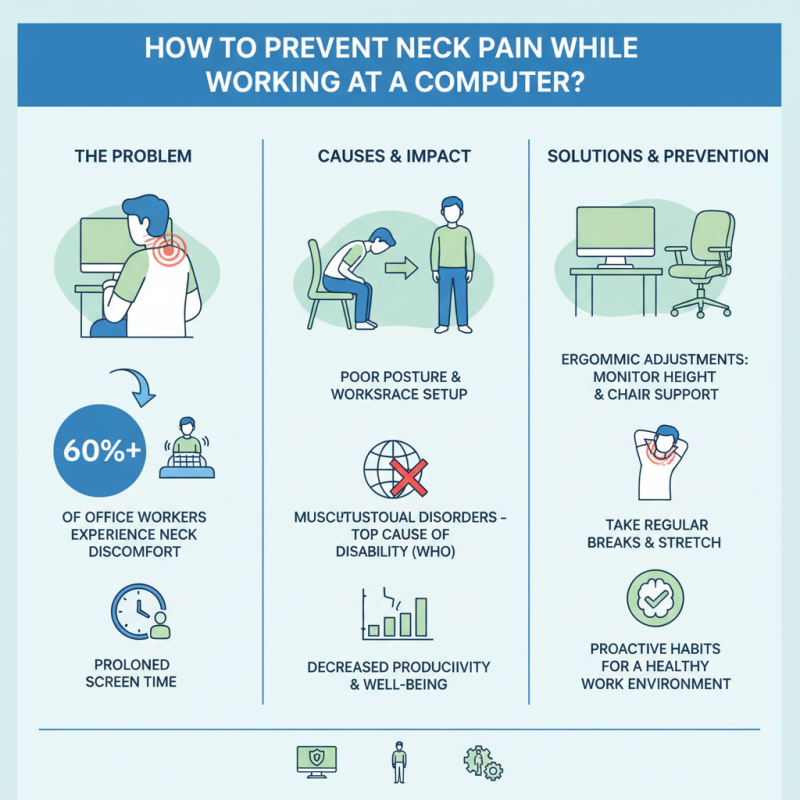
As remote work becomes more prevalent, computer use has surged, leading to a spike in neck pain. Research from the American Chiropractic Association indicates that over 60% of office workers experience discomfort in this area. This statistic underscores the urgency of addressing ergonomic challenges at workstations. Understanding how to prevent neck pain while working at a computer is essential for maintaining productivity and well-being.

Neck pain often stems from poor posture, prolonged screen time, and inadequate workspace setup. The World Health Organization notes that musculoskeletal disorders are among the top causes of disability globally. This highlights a critical need for effective strategies to combat neck strain. Simple adjustments, such as monitor height and chair selection, can significantly reduce discomfort.

While many may be aware of these issues, few actively implement corrective measures. Personal experiences show that even minor changes, like taking breaks and stretching, can make a difference. It's vital to reflect on our habits and actively seek ways to improve our work environment. Fostering a proactive approach to ergonomic health is key to preventing neck pain and enhancing overall comfort during computer use.
How to Prevent Neck Pain While Working at a Computer?

Understanding the Causes of Neck Pain in Computer Users

Neck pain is a common issue for computer users. Understanding its causes is essential for prevention. Poor posture is the leading culprit here. Hunching over a keyboard or tilting your head to see the screen can strain neck muscles. Prolonged hours in these positions create tension. The discomfort intensifies, leading to chronic pain.

Tension can also arise from stress. Many people hold stress in their neck and shoulders. This muscle tension can worsen while working. Take breaks to stretch your neck and shoulders. Simple neck rolls can alleviate some of this tension.

Ergonomics play a crucial role. Adjust your chair and monitor for comfort. Your screen should be at eye level. Keep your feet flat on the floor. These adjustments promote better posture. Small changes can lead to significant relief. Don't underestimate the impact of a supportive chair. Regularly check in with your body. Is your neck feeling tight? Are you slouching? Staying mindful can help you avoid pain.

Ergonomic Assessments for Optimal Workspace Setup

Creating an ergonomic workspace is essential for preventing neck pain while working at a computer. An ergonomic assessment can identify the best setup tailored to your specific needs. Start by ensuring your chair supports your lower back and allows your feet to rest flat on the ground. The screen should be at eye level, so your neck remains neutral. Your elbows should be at about a 90-degree angle while typing.

Adjustments are often necessary. Many people find their screen is too low, causing them to tilt their heads forward. This habit can lead to discomfort over time. A simple fix involves using a monitor stand or adjusting the height of your chair. Remember to take regular breaks to stretch. Movements like rolling your shoulders and turning your head can alleviate tension.

While these tips are straightforward, their application can sometimes fall short. People might get comfortable with poor postures, neglecting the signs their body sends. It's crucial to remain aware of your habits. Regular evaluations of your workspace and posture will help ensure long-term comfort.

Neck Pain Prevention While Working at a Computer

This chart illustrates the percentage of computer users who experience neck pain based on their workspace setup. Ergonomic assessments can significantly reduce the risk of discomfort.

Techniques for Maintaining Proper Posture While Working

Working long hours at a computer can lead to neck pain, a common issue among office workers. According to a study published by the Occupational Health Psychology, around 60% of employees report neck discomfort due to poor posture. Maintaining proper posture is essential to prevent pain and enhance productivity.

To support good posture, keep your screen at eye level. This reduces strain on your neck. Use a chair that supports your lower back. Your feet should rest flat on the ground. Remember to take short breaks every hour. Move your head side to side to relieve tension.

Adjust your workspace to fit your body. A keyboard positioned too high can lead to reaching and neck strain. Many workers ignore their posture until pain develops. Stay aware and check your position throughout the day. Keeping your head aligned with your spine is crucial. Small adjustments make a big difference. Proper ergonomics can reduce the risk of developing chronic neck pain later on.

How to Prevent Neck Pain While Working at a Computer?

Technique Description Frequency
Ergonomic Chair Use a chair that supports the natural curve of the spine and maintains a proper posture. All Day
Monitor Height Adjust your computer screen so that the top is at or just below eye level. Daily Adjustment
Breaks and Stretches Take short breaks every 30-60 minutes to stretch the neck and shoulders. Every Hour
Posture Check Regularly check and correct your posture while sitting at the desk. Multiple Times a Day
Keyboard and Mouse Position Keep the keyboard and mouse at elbow height to prevent reaching over. All Day

Exercises and Stretches to Alleviate Neck Tension

Neck pain is a common issue among computer users. According to the American Chiropractic Association, nearly 70% of people experience neck pain at some point. This discomfort often stems from poor posture and extended screen time. Incorporating simple exercises and stretches into your daily routine can help alleviate some of this tension.

To counteract the strain, consider performing neck stretches. One effective stretch involves gently tilting the head side to side. Hold each position for about 15-30 seconds. This exercise can increase flexibility and reduce soreness. Another useful move is the chin tuck. By drawing the chin toward your chest, you can strengthen neck muscles. Research indicates that consistent stretching can reduce pain by up to 50% over time.

It's also crucial to take regular breaks. The recommended guideline is a 20-20-20 rule. Every 20 minutes, focus on something 20 feet away for at least 20 seconds. Such practices, combined with stretches, create a significant impact. Despite these strategies, many may still experience discomfort due to poor habits. Reflection on daily habits can aid in making necessary adjustments for long-term relief.

Incorporating Breaks and Movement into Your Work Routine

Working at a computer for long hours can lead to neck pain. To combat this common issue, incorporating breaks and movement into your routine is essential. Regular breaks allow your muscles to relax and can help reset your posture. Aim for a five-minute break every hour. During this time, stand up, stretch, or do a quick walk around your workspace. Small movements can make a significant difference.

Consider incorporating neck stretches into your daily routine. For example, gently tilt your head to one side, hold for a few breaths, and then switch sides. This simple stretch can relieve tension and improve flexibility. Another tip is to adjust your monitor's height. Your screen should be at eye level to avoid straining your neck. Many people find themselves craning their necks downward, which creates discomfort over time.

Reflect on your working habits. Are you sitting for extended periods without movement? Notice the signs of strain before they escalate. It’s easy to become absorbed in tasks, but prioritizing movement can prevent fatigue. Joining a brief walk, even if just around your desk, can renew your focus and energy. Staying aware of your body's signals is crucial in maintaining overall neck health.

FAQS

: What causes neck pain for computer users?

: Poor posture is the main cause. Hunching over can strain neck muscles over time.

How can stress contribute to neck pain?

Stress often leads to muscle tension in the neck and shoulders, worsening discomfort while working.

What are some quick neck stretches?

Try tilting your head side to side. Hold each side for 15-30 seconds for relief.

How important is workspace ergonomics?

Ergonomics are vital. Adjust your chair and monitor to maintain comfort and proper posture.

What is the 20-20-20 rule?

Every 20 minutes, look at something 20 feet away for at least 20 seconds.

Why should I check my posture often?

Many ignore their posture until pain develops. Regular checks can prevent discomfort.

How can I recognize tension in my body?

Is your neck tight? Do you notice slouching? Staying mindful is crucial for avoiding pain.

What can enhance productivity while working?

Maintaining good posture improves focus and reduces discomfort, leading to better productivity.

Can simple adjustments really help?

Yes, small changes in your setup can lead to significant relief from neck pain.

What should I reflect on for better habits?

Consider your daily practices. Reflecting on them can be key to making long-term improvements.

Conclusion

In the article "How to Prevent Neck Pain While Working at a Computer," the author explores several key factors contributing to neck discomfort among computer users. By understanding the causes of neck pain, individuals can better address the issues stemming from prolonged computer use. The article emphasizes the importance of ergonomic assessments to ensure that the workspace is optimally set up for comfort and efficiency.

Additionally, the piece provides various techniques for maintaining proper posture while working, which is crucial for reducing strain on the neck. Incorporating regular exercises and stretches can significantly alleviate neck tension, while taking scheduled breaks promotes movement and helps to reset posture. Overall, the article offers practical advice on how to prevent neck pain while working at a computer, promoting a healthier work experience.

Liam

Liam

Liam is a dedicated marketing professional with a profound expertise in the industry, where he excels at highlighting the unique advantages of our core products. With a keen understanding of market trends and consumer needs, Liam frequently updates our company’s professional blog, providing......